If you’re still relying on WinRAR or WinZip for compressing and extracting files, it’s time to consider the powerful and completely free alternatives that exist in 2025. While WinRAR and WinZip are some of the world’s most popular file compression tools, many users want a free WinRAR alternative that works across many different file formats like ZIP, RAR, TAR, and 7Z, without paying for a license or dealing with constant nag screens.
This guide explores the best alternatives to WinRAR that are free to download and use on Windows 10, Windows 11, and other modern Windows systems. Whether you’re looking to compress large files, extract RAR archives, or manage ZIP files with encryption, you’ll find a free file archiver that suits your needs.
Why Choose a Free Alternative to WinRAR and WinZip?
While WinRAR and WinZip are reliable, they are not free software. Many users are seeking:
-
- A free WinRAR alternative without trial limitations
-
- Tools that support a wide range of compression formats like ZIP, RAR, TAR, and 7Z
-
- Faster compression and extraction performance
-
- Options that offer password protection and AES encryption
-
- Modern, lightweight software that runs smoothly on 64-bit Windows operating systems
There are many free file compression apps available that are better than you might expect. Let’s dive into the best ones in 2025.
1. 7-Zip: The Best Free WinRAR Alternative
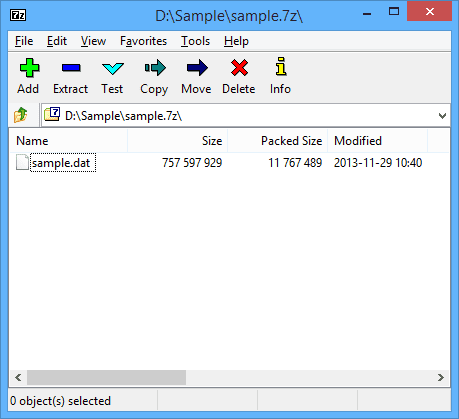
Website: https://www.7-zip.org
7-Zip remains one of the most recommended free file archiver tools. Released under an open source license, it’s lightweight, supports the powerful 7Z format, and delivers a high compression ratio.
-
- Compression formats supported: 7Z, ZIP, TAR, GZ, WIM, XZ
-
- Extraction formats: RAR, ISO, CAB, ARJ, and more
-
- Platform: Windows (32-bit and 64-bit), Linux (via p7zip)
-
- Open source: Yes
-
- Encryption: AES-256 encryption supported
The only drawback? It cannot create RAR files (this is possible only if WinRAR is installed, due to licensing). Still, it can extract RAR archives just fine.
Best for: Anyone looking for a free WinRAR replacement with strong compression and broad format support.
2. PeaZip: A User-Friendly Free File Compression Tool

Website: https://www.peazip.com
PeaZip is a modern, actively maintained open source file archiver that supports over 200 file types. The PeaZip project is known for its elegant UI, drag and drop interface, and enhanced encryption tools.
-
- Compression formats: 7Z, ZIP, ARC, TAR, PAQ
-
- Extraction formats: RAR, ISO, DMG, UDF, ARJ
-
- Platform: Windows and Linux
-
- Encryption: AES-256 and two-factor authentication
-
- Self-extracting archives: Supported
PeaZip is a free to use tool that goes beyond basic file compression. You can even use it to shred files or schedule compression tasks.
Best for: Users who want a WinZip alternative with more advanced security features.
3. Bandizip: A Fast Compression and Archiving Solution

Website: https://www.bandisoft.com/bandizip/
Bandizip has earned popularity for its clean interface, fast compression speed, and Unicode support for non-English file names. While it offers a paid version, its free tier is one of the best WinRAR alternatives.
-
- Compression formats: ZIP, 7Z, TAR, EXE
-
- Extraction formats: RAR, ISO, ZIPX
-
- Platform: Windows (64-bit and 32-bit)
-
- Encryption: AES-256
-
- Open source: No, but free version available
-
- With support for modern Windows 11 features and archive formats like ZIPX, Bandizip is ideal for those looking for something similar to WinRAR.
Best for: Windows users who want a fast, modern alternative with support for the latest compression formats.
4. Zipware: Simple and Safe File Compression Software
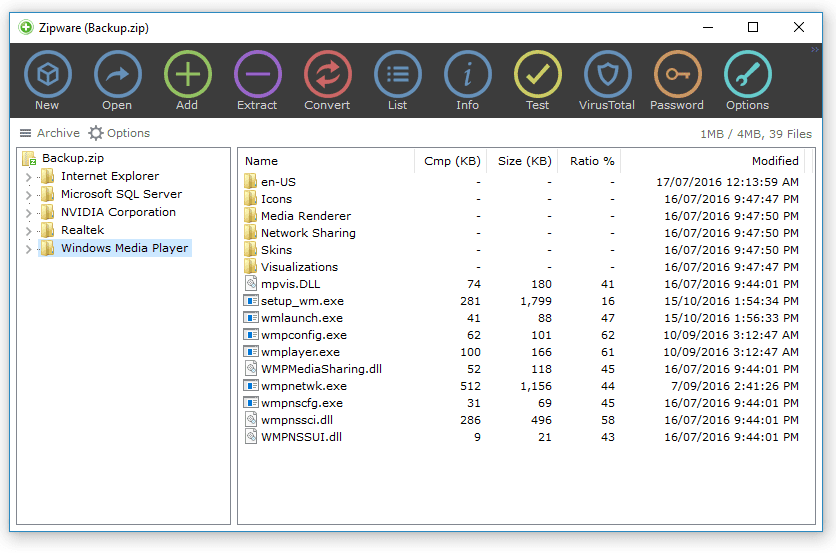
Website: https://www.zipware.org/
If you’re looking for something easy to use, Zipware is a great free alternative to WinRAR. It’s built for simplicity but doesn’t sacrifice format support.
-
- Compression: ZIP, 7Z, EXE
-
- Extraction: RAR, TAR, ISO, and others
-
- Security: Built-in antivirus scan for archives
-
- Open source: No
-
- This is a great choice for anyone who needs to open and compress RAR TAR ZIP files without digging through menus or options.
Best for: Beginners who want a no-fuss, fast, and free WinZip or WinRAR alternative.
5. ExtractNow: Batch RAR and ZIP Extraction Made Simple

Website: https://extractnow.com/
If your workflow involves handling many compressed files at once, ExtractNow is a niche but useful tool. Unlike others, it doesn’t compress — it’s focused entirely on extraction.
-
- Supports: ZIP, RAR, TAR, ISO, and more
-
- Special feature: Batch extraction of multiple archives
-
- Open source: No
-
- Encryption: No
ExtractNow is limited but effective for high-volume extraction tasks like unrar operations or unpacking downloaded ZIP archives.
Best for: Users who frequently extract RAR and ZIP files in bulk.
6. The Unarchiver: The Best Free WinRAR Alternative for macOS

Website: https://theunarchiver.com/
Mac users looking for a free WinRAR or WinZip alternative can turn to The Unarchiver. It’s a small, fast app built for macOS that integrates with Finder.
-
- Supported formats: RAR, ZIP, 7Z, ISO, StuffIt
-
- Platform: macOS
-
- Compression: No (extraction only)
-
- Free software: Yes
Best for: macOS users who need a tool to extract RAR TAR ZIP files with minimal effort.
7. Linux Archive Manager (File Roller): Native Linux Compression Tool

For Linux users, the default GNOME file archiver — often called File Roller — offers everything needed for day-to-day compression and archiving tasks.
-
- Compression and extraction: ZIP, TAR, RAR*, ISO, and more
-
- Open source: Yes
-
- Platform: Linux (GNOME-based distros)
-
- 64 bit: Supported out of the box
Note: For RAR support, you may need to install additional tools like unrar, which is possible if WinRAR is installed.
Best for: Linux desktop users who want a reliable and open source file compression tool.
Comparison Table:
| Tool | Compression | Extraction | Formats Supported | Encryption | OS Support | Open Source | Best For |
|---|---|---|---|---|---|---|---|
| 7-Zip |  Yes (7Z, ZIP, etc.) |
Yes (RAR, ISO, etc.) |
ZIP, 7Z, RAR*, TAR, ISO, GZ, etc. | AES-256 |
Windows, Linux via p7zip | Yes |
Power users & developers |
| PeaZip | Yes |
Yes |
200+ formats including RAR*, ACE, TAR, ZIP | Advanced |
Windows, Linux | Yes |
Feature-rich GUI, security focus |
| Bandizip | Yes |
Yes |
ZIP, RAR*, 7Z, TAR, ISO, EXE | AES-256 |
Windows |  No |
Modern UI, Unicode support |
| Zipware | Yes |
Yes |
ZIP, 7Z, RAR*, ISO, VHD | Basic |
Windows | No |
Beginners and casual users |
| ExtractNow | No |
Yes |
ZIP, RAR*, ISO, 7Z, etc. | No |
Windows | No |
Batch extraction workflows |
| The Unarchiver | No |
Yes |
RAR*, ZIP, 7Z, TAR, StuffIt | No |
macOS | Yes |
Mac users |
| Linux Archive Manager | Yes |
Yes |
ZIP, RAR*, TAR, ISO | Basic |
Linux (GNOME desktop) | Yes |
Linux desktop users |
*Most free tools can open RAR files but not create them due to licensing restrictions from RARLAB.
Conclusion: Choosing the Best Free WinRAR Alternative
When it comes to compression and extraction, you no longer have to rely on WinRAR or WinZip. In 2025, you have access to a wide range of free WinRAR alternatives that are fast, secure, and easy to use.
-
- Use 7-Zip if you want a lightweight, no-frills, high compression ratio tool.
-
- Try PeaZip if you want advanced features and enhanced encryption.
-
- Go with Bandizip for modern design and great performance on 64 bit Windows.
Each of these file compression apps supports multiple archive formats, from 7z and RAR to ISO and ZIP. Many also offer strong AES encryption, Unicode support, and self-extracting archive options.
Whether you’re dealing with RAR TAR ZIP files, backing up your data, or managing compressed downloads, these tools provide everything you need — completely free.
Want to make the switch today? Start with 7-Zip or PeaZip and experience what a modern, open source compression tool can do.