What Are File Types and Extensions?
File types are the kind of thing that you acknowledge exists in everyday life, but you don’t really think about what exactly they are. Well, a file type defines exactly how information is structured and stored inside a file and how different programs interpret it. Every single file on your computer follows a specific format that determines a number of things such as:
- What kind of data it contains (text, image pixels, audio samples, etc.)
- How that data is arranged (compressed, encoded, encrypted, etc.)
- Which programs can read or open it.
For instance, .jpg files contain image data compressed in the JPEG format. A .mp4 file contains video and audio streams encoded in the MPEG-4 format. A .docx file contains text and layout data encoded in a ZIP-based Office Open XML format. And so on and so forth. The file type defines the content structure.
A file extension, on the other hand, is a lot simpler. It’s a suffix that your system attaches to the end of a filename which tells you and the operating system just what kind of file it is. Absolutely no data is stored in the extension. It’s simply a naming convention that helps the computer figure out what kind of program to use.
However, that doesn’t mean that you can turn a .txt into a .jpg. Your computer will just interpret it as a corrupted file because it’s trying to use the wrong program to open it. If a file is structured in a specific way, then brute force changing the extension won’t make it inaccessible.
In short, the extension tells you and the computer what kind of file it appears to be. The file type describes what’s actually inside.
Why Can’t I See My file extensions?

You may notice that file extensions don’t seem to appear when you look for them in your file directory. That’s because Windows likes to hide them to prevent you from accidentally changing the extension and bricking your file. This was a surprisingly common problem and it helps newbies, but it may be annoying if you’re an experienced user and you know what you’re doing.
If you’re on Windows, all you have to do is go to your file browser, navigate to the “View” tab at the top of the explorer, and then check “File name extensions”. This will let you see all the extensions on your computer.
List Organization
Before we get started, let me explain how we organized this list. We will be categorizing each of the file types and extensions by function, with a short explanation on what that category is. Each of the file extensions will have a short description of their function after their name.
System Files
Do you remember that old online prank where people suggested deleting system32 to fix their system? Well, that folder had these files in them. They are attached to the inner workings of your operating system and are extremely crucial to your operating system. Losing any of them tends to lead to catastrophic failure. Because of that, we suggest that you absolutely do not move, edit, or modify these files in any way. Note that most of the files here are exclusive to Windows as MacOS has a different setup for its OS.
- 386: Virtual device driver used by older Windows systems
- ACA: Microsoft Agent character file
- ACG: Microsoft Agent preview file
- ACS: Microsoft Agent character definition file
- ACW: Accessibility Wizard configuration file
- ANI: Animated cursor file for Windows
- BAT: Batch script file containing command-line instructions
- BFC: Windows Briefcase data file
- BKF: Backup file created by Windows Backup utility
- BLG: Performance log from Windows System Monitor
- CAT: Security catalog file for verifying digital signatures
- CER: Security certificate file
- CFG: General configuration file
- CHK: File fragment recovered by CHKDSK
- CHM: Compiled HTML Help file
- CLP: Clipboard data file
- CMD: Windows Command Prompt script
- CNF: Configuration file (often for dial-up or networking)
- COM: Executable program (MS-DOS application)
- CPL: Control Panel extension file
- CRL: Certificate Revocation List file
- CRT: Digital certificate file
- CUR: Static cursor image file
- DAT: Generic data file used by various programs
- DB: Database file
- DER: Binary-encoded X.509 certificate
- DLL: Dynamic Link Library (shared program code)
- DRV: Device driver file
- DS: TWAIN data source file (used for scanners)
- DSN: Data source name file (ODBC connection info)
- DUN: Dial-Up Networking file
- EXE: Executable program file
- FND: Saved search file in Windows
- FNG: Source group file (used in development tools)
- FOLDER: Directory placeholder reference
- FON: Bitmap font file
- GRP: Program Manager group file (Windows 3.x)
- HLP: Legacy Windows help file
- HT: HyperTerminal connection file
- INF: Setup information file used for driver or software installation
- INI: Configuration settings file (plain text)
- INS: Internet settings file
- ISP: Internet Service Provider configuration file
- JOB: Scheduled task file
- KEY: Registry key or license key file
- LNK: Shortcut (link) to another file or location
- MSC: Microsoft Management Console (MMC) snap-in file
- MSI: Windows Installer package
- MSP: Windows Installer patch file
- MSSTYLES: Windows visual theme/style file
- NFO: System information file (MSInfo)
- OCX: ActiveX control file
- OTF: OpenType font file
- P7C: PKCS #7 digital certificate file
- PFM: PostScript Type 1 font metrics file
- PIF: Shortcut to an MS-DOS program
- PKO: Public key security object
- PMA: Performance Monitor log file
- PMC: Performance Monitor counter file
- PML: Performance Monitor log file
- PMR: Performance Monitor report file
- PMW: Performance Monitor workspace file
- PNF: Precompiled setup information file
- PSW: Password backup file
- QDS: Query directory service file
- RDP: Remote Desktop Protocol connection file
- REG: Windows Registry file
- SCF: Windows Explorer command file
- SCR: Screen saver executable file
- SCT: Windows Script Component
- SHB: Shortcut to a document or object
- SHS: Shell scrap object (drag-and-drop shortcut)
- SYS: System or device driver file
- THEME: Windows desktop theme file
- TMP: Temporary data file
- TTC: TrueType font collection
- TTF: TrueType font file
- UDL: Universal Data Link file (database connection info)
- VXD: Virtual device driver for Windows 9x
- WAB: Windows Address Book file
- WMDB: Windows Media Player database file
- WME: Windows Media Encoder project
- WSC: Windows Script Component file
- WSF: Windows Script File (supports multiple scripting languages)
- WSH: Windows Script Host settings file
- ZAP: Software installation configuration file
Audio Files

Audio files are files that contain any kind of sound. Generally, these are always attached to video files, even if it’s just dead air and you can’t hear anything. Players that can run video files tend to also be able to run audio files, though there will be no video track and it will just be a black screen. Most of these files can be opened with VLC players unless otherwise specified.
- 669: UNIS Composer music module format
- AA: Audible audiobook format with DRM, used by Amazon/Audible
- AAC: Advanced Audio Coding format; high-quality compressed audio
- AIF: Audio Interchange File Format, standard uncompressed audio
- AIFC: Compressed version of AIFF (Audio Interchange File Format)
- AIFF: Uncompressed audio format developed by Apple
- AMF: Asylum Music Format, tracker-style module audio
- ASF: Advanced Systems Format for streaming media. Exclusive to Windows but supported via VLC player.
- AU: Sun/NeXT audio format, used in early UNIX systems
- AUDIOCD: Audio CD track reference file
- CDA: Shortcut file referencing a track on an audio CD. Exclusive to Windows.
- CDDA: CD Digital Audio file, representing audio tracks from discs
- FAR: Farandole Composer music module
- FLAC: Free Lossless Audio Codec, compressed without quality loss
- IT: Impulse Tracker music module file
- ITZ: Compressed Impulse Tracker module archive
- LWV: Microsoft Linguistically Enhanced sound file. Exclusive to Windows.
- MID: Standard MIDI file (Musical Instrument Digital Interface)
- MIDI: Same as MID; digital note data for instruments
- MIZ: Winamp Compressed MIDI file. Exclusive to Windows.
- MP1: MPEG-1 Audio Layer I file
- MP2: MPEG-1 Audio Layer II file, used in broadcast audio
- MP3: MPEG-1 Audio Layer III, the most common compressed audio format
- MTM: MultiTracker Module file
- OGG: Ogg Vorbis compressed audio format
- GMO: Variation of Ogg container used for game audio
- OKT: Oktalyzer module, used on Amiga systems
- OPUS: Modern audio codec optimized for speech and streaming
- RA: RealAudio streaming format
- RMI: RIFF MIDI format used exclusively by Windows
- SND: Generic sound file used by older Mac and UNIX systems
- STM: Scream Tracker module file
- STZ: Audio file variant, tracker module
- ULT: UltraTracker module format
- VOC: Creative Labs audio format for early Sound Blaster cards. Exclusive to Windows.
- WAV: Uncompressed PCM audio format from Microsoft
- WAX: Windows Media Audio shortcut or playlist
- WEBM: Open web media format (audio/video, by Google)
- WM: Windows Media file container
- WMA: Windows Media Audio format
- WMV: Windows Media Video format
- XM: FastTracker 2 extended module format
- XMZ: Compressed FastTracker 2 module archive
Video Files

Video files have both audio and image tracks merged in them. Just like audio files, one or both of these tracks being empty doesn’t mean that it can be opened by audio-only players, as it’s still a video file. VLC player can open most of these formats, and the ones that it can’t are usually physical media or old, niche formats.
- 3GP: Multimedia container format for videos on 3G mobile devices
- ASF: Advanced Systems Format, used for streaming audio and video
- AVI: Audio Video Interleave; classic Windows video format
- AVCHD: High-definition video format used by camcorders; often stored on Blu-ray discs
- BIK: Bink Video; used in video games for cutscenes and animations
- DIV: DIVA-GIS project video or data format
- DIVX: Compressed video format by DivX
- DVD: Digital video format used on physical DVD discs
- FLV: Flash Video; used for streaming on older websites (now deprecated)
- IVF: Indeo Video format developed by Intel. Exclusive to Windows
- TOD: JVC Everio camcorder video format
- M1V: MPEG-1 video stream format
- MKV: Matroska container supporting multiple codecs, subtitles, and tracks
- MOV: QuickTime Movie format
- MOVIE: Generic video container, often associated with MPEG
- MP2V: MPEG-2 video file format
- MP4: MPEG-4 Part 14; standard format for modern video
- MPA: MPEG audio or video stream component.
- MPE: MPEG video file
- MPEG: Standardized digital video format
- MPG: Common MPEG video file extension
- MPV2: MPEG-2 video file
- QT: QuickTime video file. Used by macOS
- QTL: QuickTime Link file that references .MOV media. Used by macOS
- RPM: RealPlayer streaming video format
- SMK: Smacker Video; used in older PC games. Exclusive to Windows
- WM: Windows Media container for audio and video. Exclusive to Windows
- WMV: Windows Media Video format. Exclusive to Windows
- WOB: Video object file from DVDs, similar to VOB. Exclusive to Windows
Compressed Files
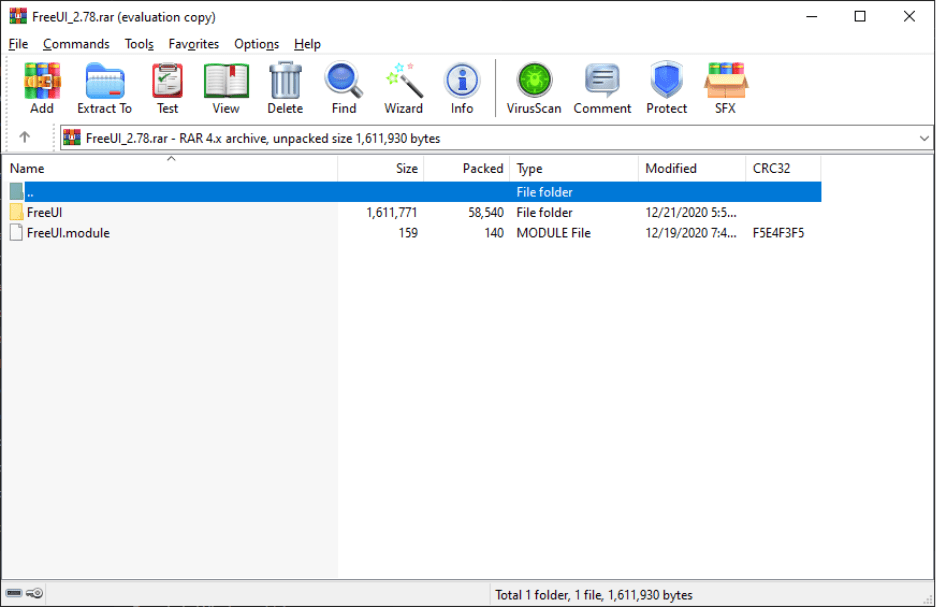
Compression is when large files are reduced in size using mathematical algorithms that eliminate redundant and repeated data without losing any data. It is then packaged into a compressed format, and when you extract or decompress it, the data is restored to the original state. There are also some compression techniques that do actually remove data to achieve even smaller sizes, but the quality of the uncompressed version is lower as a result. Pretty much all of these formats can be opened with WinRar or 7Zip.
- 7Z: High-compression archive format created by 7-Zip
- ACE: Archive format primarily used by WinACE
- ARJ: Early archive format designed for ARJ softwareAPK: Android application package; used by Android OS for app installation
- BZ: File compressed with bzip
- BZ2: bzip2 compressed file
- CAB: Microsoft Cabinet archive used by Windows Installer and system components. Exclusive to Windows.
- DMG: Disk image format used for distributing software on macOS; opened by Finder or Disk Utility. Exclusive to MacOS.
- GZ: Gzip compressed file. Exclusive to Linux and UNIX systems
- HA: Obsolete archive format used by HA archiver
- ISO: Optical disc image (CD/DVD/Blu-ray)
- LHA: Legacy archive format associated with LHA/LHArc
- LZH: Variation of LHA; often used in Japanese software and supported by WinRAR and 7-Zip
- R00: Split segment of a multi-part RAR archive created by WinRAR
- R01: Continuation of a split RAR archive (second part)
- R02: Third sequential part of a multi-volume RAR archive
- R03: Fourth file in a multi-part RAR archive set
- R0…: Generic naming pattern for additional RAR archive segments beyond R03
- RAR: Proprietary compressed archive format native to WinRAR
- REV: WinRAR Recovery Volume used to restore missing parts of split RAR archives
- TAR: Tape Archive format
- TBZ: TAR + Bzip compressed file, often handled by 7-Zip or Linux archive utilities
- TBZ2: TAR + Bzip2 compressed file, same as .tar.bz2
- TGZ: TAR + Gzip archive, equivalent to .tar.gz; standard in Linux environments
- UU: File encoded in uuencode, used for transferring binaries via email or newsgroups
- UUE: Another uuencode format variant
- XXE: Encoded file using xxencode
- ZIP: Widely used compressed archive format
- ZOO: Early compression format for ZOO archiver
Image Files

While images are pretty straightforward to understand, this also has a pretty high variety of file types. That’s because there’s a ton of different rendering methods that all offer different levels of quality to the photo. Some of them are even exclusive to certain graphic editing programs, although they usually render into a more common file format for general use. Most of these files can be opened with your default Windows image editor like Paint or Photos, and if you’re on macOS, they can be opened with Preview.
- AIS: ACDSee Image Sequence format used by ACDSee for image animation or batching.
- BMP: Standard bitmap image format developed by Microsoft; widely supported on all systems.
- BW: Black-and-white image format used on Silicon Graphics (SGI) systems (UNIX/IRIX).
- CDR: CorelDRAW vector graphic format used for illustrations and logos.
- CDT: CorelDRAW template file, stores preset layout or design settings.
- CGM: Computer Graphics Metafile, vector image format for technical and CAD graphics.
- CMX: CorelDRAW Exchange format, used exclusively by Corel programs.
- CPT: Corel PHOTO-PAINT bitmap format, used exclusively by Corel.
- CR2: Canon RAW image format, used by Canon digital cameras.
- DCX: ZSoft Multi-page Paintbrush image file; supports multiple pages of PCX images.
- DIB: Device-Independent Bitmap; a variant of BMP with no display-specific data.
- DNG: Digital Negative, open RAW format developed by Adobe for camera image storage.
- EMF: Enhanced Metafile, vector format for Windows graphics (Windows-exclusive).
- GBR: GIMP brush file, used to define custom paintbrushes in GIMP, used exclusively by GIMP.
- GIF: Graphics Interchange Format; supports animation and transparency for web images.
- GIH: GIMP Image Hose, used for animated or pattern brushes, used exclusively by GIMP.
- HEIC: High Efficiency Image Container, used exclusively by Apple products.
- ICO: Icon image file used for application and shortcut icons, used exclusively by Windows.
- IFF: Interchange File Format, general-purpose image format used exclusively by Amiga systems.
- ILBM: Interleaved Bitmap, a variant of IFF used on Amiga computers
- JFIF: JPEG File Interchange Format, standard JPEG container used for photos.
- JIF: JPEG Interchange Format, older name for JPEG standard.
- JPE: Alternate JPEG file extension.
- JPEG: Standard compressed image format widely used for photos.
- JPG: Common JPEG file extension; identical to .jpeg.
- KDC: Kodak RAW image format from older Kodak digital cameras.
- LBM: Deluxe Paint or Amiga IFF bitmap image. Used exclusively by Amiga.
- MAC: MacPaint image format (Classic macOS-exclusive).
- PAT: AutoCAD pattern file used for hatching and fills. Used exclusively by AutoCAD.
- PCD: Kodak Photo CD image format for high-quality scans.
- PCT: Macintosh PICT image format. Used by classic macOS.
- PCX: ZSoft Paintbrush raster image format, early bitmap standard.
- PIC: Generic picture file extension used by several applications
- PICT: Macintosh QuickDraw image format. Used by classic macOS.
- PNG: Portable Network Graphics, lossless compressed image format for web and design use.
- PNTG: MacPaint bitmap format. Used by classic macOS.
- PIX: Image format used by PCI Geomatics for remote sensing and mapping
- PSD: Adobe Photoshop Document; supports layers, transparency, and effects
- PSP: Corel Paint Shop Pro exclusive image format
- QTI: QuickTime Image format. Exclusive to macOS.
- QTIF: QuickTime Image File, used by Apple QuickTime. Exclusive to macOS.
- RGB: Raw bitmap image storing RGB color channels.
- RGBA: Bitmap image with red, green, blue, and alpha (transparency) channels.
- RIF: Corel Painter Raster Image file.
- RLE: Run-Length Encoded Bitmap, simple compression for BMP images.
- RAW: Unprocessed camera sensor data; used in professional photography.
- SGI: Silicon Graphics Image, used by SGI workstations. Exclusive to IRIX/UNIX.
- TGA: Targa Graphic, early format used in video and animation.
- TIF: Tagged Image File Format, flexible for print and photography.
- TIFF: Same as .tif; supports layers and metadata for professional imaging.
- WEBP: Google WebP, modern compressed format for web use with transparency and animation.
- WMF: Windows Metafile, early vector/raster hybrid format. Exclusive to Windows.
- XCF: GIMP native image format supporting layers and transparency. Exclusive to GIMP.
Text Files

There are two kinds of text files: plain text, and rich text. Plain text are formats that simply store the letters as you type them in, like the basic .txt files you find in Notepad. Rich text lets you modify the font size, font color, or font type, like what you can find in Microsoft Word.
- DIC: Dictionary file containing word lists for spell checking. Used by Microsoft Word and Windows.
- DOCX: Microsoft Word document format supporting text, formatting, and embedded objects.
- DIZ: “Description in Zip” text file providing short software descriptions, often distributed with ZIP archives.
- DOCHTML: Microsoft Word document saved as an HTML file to preserve formatting for web display.
- EXC: Plain text file; commonly opened with Notepad or other text editors.
- GDOC: Google Docs file shortcut that links to an online document in Google Drive (requires internet access).
- IDX: Index file storing reference data for faster lookups; can be opened with text editors but typically used internally by software.
- LOG: Log file that records events, operations, or messages generated by software or systems.
- PAGES: Apple Pages document file. Exclusive to Apple products.
- PDF: Portable Document Format developed by Adobe
- RTF: Rich Text Format file that supports text styling and formatting
- SCP: Script file containing commands or configuration data
- TXT: Plain text file containing unformatted text.
- MD: Markdown text file using lightweight syntax for formatting; editable in plain text editors or markdown apps like Obsidian.
- WRI: Legacy document format used by Microsoft Write.
- WTX: Text-based file; usually opened with Notepad or similar editors.
Miscellaneous File Extensions
There are a lot of other extensions that don’t fit neatly into one of these categories. Many of them belong to programs that are widely used in a ton of different industries.
CD Images
These files emulate the structure of a disc to store data. Windows lets you mount them natively now, but you used to need specialized disk mounters like Daemon Tools.
- MDS: Media Descriptor Sidecar file that stores metadata describing the structure of a disc image
- CCD: CloneCD Control file that contains layout information for creating or mounting CD images
- CUE: Cue Sheet file that describes the track layout of a CD or DVD image
- ISO: Disc image file that contains an exact copy of a CD, DVD, or Blu-ray
- BTW: BarTender Label file used by BarTender software to design and print barcode and label templates
- CDI: DiscJuggler Disc Image file created by the DiscJuggler application for optical disc duplication
- IMG: Generic disk image file containing raw data from a storage device or optical disc; can be mounted or written to physical media
Virtual Machines
A virtual machine creates entirely self-contained replicas for OSes for you to test various software with. This is helpful when testing for malwares.
- VBOX: Configuration file for a virtual machine in Oracle VM VirtualBox.
- VDI: Virtual disk image used by Oracle VM VirtualBox.
- VHD: Virtual hard disk file used by various virtualization platforms, including Windows Hyper-V and VirtualBox.
- VMDK: Virtual disk file used by VMware virtual machines.
- NVRAM: File storing the BIOS/firmware state of a VMware virtual machine.
- VMC: Virtual machine configuration file used exclusively by Windows Virtual PC .
Nero Suite
Nero has been one of the most powerful suites for burning CDs and DVDs for nearly three decades now. It also exclusively uses its own unique file extensions.
- NRA: Nero audio CD project file
- NRB: Nero bootable CD project file
- NRE: Nero bonus CD project file
- NRG: Nero disc image file
- NRH: Nero hybrid CD-ROM project file
- NRI: Nero ISO CD project file
- NRM: Nero mixed-mode CD project file
- NRU: Nero UDF CD project file
- NRV: Nero Super Video CD project file
- CDC: Nero CD cover image file
Adobe Suite
Adobe has been the poster child in a ton of different creative industries for many years now. They also use their own series of unique file extensions, although some programs can also access these files as well.
- .AI: Adobe Illustrator vector graphics file
- .AEP: Adobe After Effects project file
- .PSD: Adobe Photoshop document
- .PSB: Adobe Photoshop Large Document format
- .INDD: Adobe InDesign document
- .INDL: Adobe InDesign library file
- .IDML: Adobe InDesign Markup Language (exported project format)
- .FLA: Adobe Animate (formerly Flash) project file
- .SWF: Adobe Flash/Animate compiled animation file
- .PRPROJ: Adobe Premiere Pro project file
- .MOGRT: Adobe Motion Graphics template (used in Premiere Pro and After Effects)
- .AUX: Adobe Audition auxiliary file
- .SESX: Adobe Audition session file
- .XMP: Adobe Extensible Metadata Platform file (used for metadata in multiple Adobe apps)
Serif Affinity
Serif Affinity suite is a creative suite similar to Adobe that also uses a lot of its own proprietary file formats.
- .AFPHOTO: Affinity Photo document (raster/bitmap editing, layers, adjustments)
- .AFDESIGN: Affinity Designer document (vector and raster graphics, layers)
- .AFPUB: Affinity Publisher document (page layout, text, graphics, and layers)
- .AFTEMPLATE: Template file for any Affinity app (Photo, Designer, Publisher)
OpenOffice/LibreOffice
OpenOffice/LibreOffice is known as the lead Microsoft Office Suite alternative, featuring many of the same features and functions while also being free. It’s compatible with all of Microsoft Office’s formats, but it also uses its own proprietary software.
- ODT: OpenDocument text document for word processing
- OTT: OpenDocument text template
- ODM: OpenDocument master document linking multiple text files
- ODS: OpenDocument spreadsheet
- OTS: OpenDocument spreadsheet template
- ODG: OpenDocument drawing (vector graphics)
- OTG: OpenDocument drawing template
- ODP: OpenDocument presentation
- OTP: OpenDocument presentation template
- ODF: OpenDocument formula, used for mathematical expressions
- ODC: OpenDocument chart or graph
- ODB: OpenDocument database
Before their current file type was developed in 2005, they also had another file format they used.
- SDA: StarOffice/OpenOffice drawing file
- SDC: StarOffice/OpenOffice spreadsheet file
- SDD: StarOffice/OpenOffice presentation file
- SDS: StarOffice/OpenOffice diagram file
- SDW: StarOffice/OpenOffice text document
- SFS: StarOffice/OpenOffice frame file
- SGL: StarOffice/OpenOffice master document
- SMD: StarOffice/OpenOffice mail document
- SMF: StarOffice/OpenOffice formula file
- STC: StarOffice/OpenOffice spreadsheet template
- STD: StarOffice/OpenOffice drawing template
- STI: StarOffice/OpenOffice presentation template
- STW: StarOffice/OpenOffice text template
- SXC: StarOffice/OpenOffice spreadsheet
- SXD: StarOffice/OpenOffice drawing
- SXG: StarOffice/OpenOffice master document
- SXI: StarOffice/OpenOffice presentation
- SXM: StarOffice/OpenOffice formula file
- SXW: StarOffice/OpenOffice text document
- VOR: StarOffice/OpenOffice template file
QuickTime
QuickTime is a codec created by Apple that helps support the .qt format on Windows. While it was officially discontinued, some industries still use these files to keep it supported.
- QPX: QuickTime player plugin file
- QTP: QuickTime preferences file
- QTS: QuickTime media file or component
- QTX: QuickTime extension file
- QUP: QuickTime update package file
Microsoft Office Suite
Microsoft’s Office suite is the most widely used in the world, with mainstays like Word, Excel, and Powerpoint. The suite uses proprietary file extensions, but has become such a mainstay that they’re now common throughout all OSes.
- CSV: Comma-separated values file for tabular data. Used by spreadsheet programs
- DIF: Data Interchange Format for spreadsheet data exchange. Used by spreadsheet programs
- DOCX: Microsoft Word document file
- DOT: Microsoft Word template file
- DOTHTML: Microsoft Word HTML template file
- DQY: ODBC query file for database connections
- PPA: Microsoft PowerPoint add-in file
- POT: Microsoft PowerPoint presentation template
- POTHTML: Microsoft PowerPoint HTML template file
- PPS: Microsoft PowerPoint slideshow file
- PPTHTML: Microsoft PowerPoint HTML document
- PPTX: Microsoft PowerPoint presentation file
- WBK: Microsoft Word backup file
- WIZ: Microsoft Word wizard or template assistant file
- XLA: Microsoft Excel add-in file
- XLB: Microsoft Excel toolbar settings file
- XLC: Microsoft Excel chart file
- XLD: Microsoft Excel dialog sheet file
- XLK: Microsoft Excel backup file
- XLL: Microsoft Excel add-in library file
- XLM: Microsoft Excel macro sheet file
- XLSHTML: Microsoft Excel HTML document
- XLSX: Microsoft Excel spreadsheet file
- XLT: Microsoft Excel template file
- XLTHTML: Microsoft Excel HTML template file
- XLV: Microsoft Excel VBA module file
- XLW: Microsoft Excel workspace file
Windows Media
Windows Media was the standard Media Player for all Windows OSes up until Windows 10. It’s since been replaced as the standard starting from Windows 11 but is still accessible as a standard media player. This program also uses its own unique file extensions.
- ASX: Windows Media audio or video playlist file
- WMP: Windows Media Player file
- WMS: Windows Media Player skin or mask file
- WMX: Windows Media audio or video playlist file
- WMZ: Windows Media Player skin package
- WPL: Windows Media Player playlist file
- WVX: Windows Media audio or video redirect playlist file
Messenger Apps
While most modern messenger apps use more generalized file extensions, some of the older ones still use their own unique file formats.
- CRYPT12: Encrypted WhatsApp chat database
- CRYPT15: Newer WhatsApp encrypted database format
- CRYPTXX: WhatsApp encrypted database (versioned)
- CTT: Windows Live Messenger contact list
- WASTICKERS: WhatsApp sticker pack file
- YMG: Yahoo! Messenger message archive
- YPS: Yahoo! Messenger profile data file
Internet
The internet has a ton of its own unique file extensions that the average user would never see. However, anybody who has coded browser extensions or even tried to build their own websites from scratch recognizes the names of these files.
- ASP: Active Server Page used for dynamic web content on Microsoft servers
- CSS: Stylesheet file defining layout and design of web pages
- EML: Saved email file used by clients like Outlook or Thunderbird
- HTA: HTML-based application file that runs like a program in Windows
- HTM: Standard HTML web page file
- HTML: Standard Hypertext Markup Language file for web pages
- HTT: HTML template file used to generate web pages
- JS: JavaScript file used to add interactivity to web pages
- JSE: Encrypted or encoded JavaScript file
- JSP: Java Server Page used for dynamic web content on Java servers
- MBOX: Email mailbox file storing collections of messages
- MBX: Mailbox file used by Outlook Express and similar programs
- MHT: Web page archive file storing HTML and resources in one file
- MHTML: MIME HTML archive file storing complete web pages
- MSG: Microsoft Outlook email message file
- NWS: Saved news message file used by Outlook Express
- OMPL: XML-based file containing a list of RSS or podcast subscriptions
- PHP: Script file for dynamic web content processed by a PHP server
- RSS: Web feed file providing syndicated website updates
- SHTM: Web page that may contain server-side includes (SSI)
- URL: Internet shortcut file linking to a web address
- VCF: vCard file containing contact information
- VCS: vCalendar file containing event or calendar data
- XML: Extensible Markup Language file for structured data
- XSL: Stylesheet file for transforming or formatting XML data
Uncategorized File Types
These file types have a niche enough use that they don’t fall comfortably into any of the prior categories.
- BIN: Generic binary data file used by many programs and systems
- C: Source code file written in the C programming language
- CLASS: Compiled Java class file containing bytecode
- CNF: Configuration file, often used by MySQL and similar software
- CPP: Source code file written in the C++ programming language
- CRDOWNLOAD: Partially downloaded file created by Google Chrome
- CRX: Extension package for Chrome and other Chromium-based browsers
- GPX: GPS Exchange file storing routes, waypoints, and tracks
- JAVA: Source code file written in the Java programming language
- KML: XML-based file for mapping data such as routes and landmarks
- KMZ: Compressed archive containing one or more KML files
- M3U: Playlist file listing media files for playback in players like VLC
- MAX: 3D scene file created with Autodesk 3ds Max
- SPL: Print spool file containing print job data
- SQL: Database file containing Structured Query Language commands
- SWF: Small Web Format file for Adobe Flash animations
- VBS: Script file written in Visual Basic Script
- XPI: Installation package for Mozilla Firefox extensions
A File Type for Everything
Despite how exhaustive this list seems to have been, we haven’t actually scratched the surface yet. There are tens of thousands, even millions, of different file extensions out there. What we have done here is go over the most common file types that most people would run into and then dive just a little deeper into outdated and obsolete software. In any case, we hope that you’ve learned something from this article!