
How to Use Windows 11’s Hidden NVMe Driver to Boost SSD Performance
It turns out that Windows has been holding your NVMe SSDs back for years. It’s been treating these modern SSDs like they’re older SSDs. For those who aren’t aware, NVMe SSDs connect directly to your computer’s PCIe lanes instead of using older SAT connections, letting them move data several times fast with lower latency and better multitasking. Or at least, that’s what they theoretically should be doing. Luckily, Microsoft has […]
How to Remove Copilot and Other AI From Windows 11
If you’re like me, you’re starting to find AI to be an exhausting topic. It feels like every single company is trying to cram AI into everything we use, from search engines to OSes to even simple refrigerators! Who needs an AI smart fridge? What began as a promising addition that mostly stayed out of the way is increasingly becoming […]
How to Use and Enhance Clipboard on Windows 11

The clipboard is one of the most universal part of any OS. This feature exists from Android to Mac, and is responsible for enabling one of the most useful actions ever – copy, cut and paste. What most people don’t realize is that Microsoft has significantly expanded what the clipboard can do past these basic features. The clipboard on Windows 11 has gone past being a simple basic temporary storage tool […]
I Replaced Chrome with DuckDuckGo and the Results Were Surprising
Google Chrome is by far my most used browser even though I have my issues with it, like its memory usage (If you have similar issues, check out our guide to help with that!). It’s fast, familiar, and tightly integrated with Google’s ecosystem so I can easily access things like Gmail, Drive, Docs, and sync it up with my Android phone. It’s understandable why it’s pretty much the default go-to […]
How to Turn Off Sticky Keys in Windows 11

What are Sticky Keys? Sticky Keys has been a mainstay accessibility feature in Windows, designed mainly for people with motor disabilities. It’s meant to help folks who have trouble holding down multiple keys at the same time by making the keys “stick” down, letting them be pressed one by one to provide access to the usual shortcuts. However, because the shortcut […]
How To Turn Off Discord Overlay

What is the Discord Overlay? Discord has become one of the leading VOIP (Voice Over Internet Protocol) programs in recent years, with it especially being popular with gamers. To appeal further to that audience, they’ve added a ton of features to help augment the gaming experience. The Discord overlay is just one of these features. However, there are multiple […]
How to Compare Two Folders in Windows 11

An Important Step in File Management Keeping files organized is an important skill in the modern day. Pretty much every office job will require some skill in data management, and once you’re managing work documents, photo collections, coding projects, and more, there will inevitably come a time where you have to compare two folders to make sure they match. Maybe you’ve copied thousands of files over […]
A Comprehensive List of File Extensions
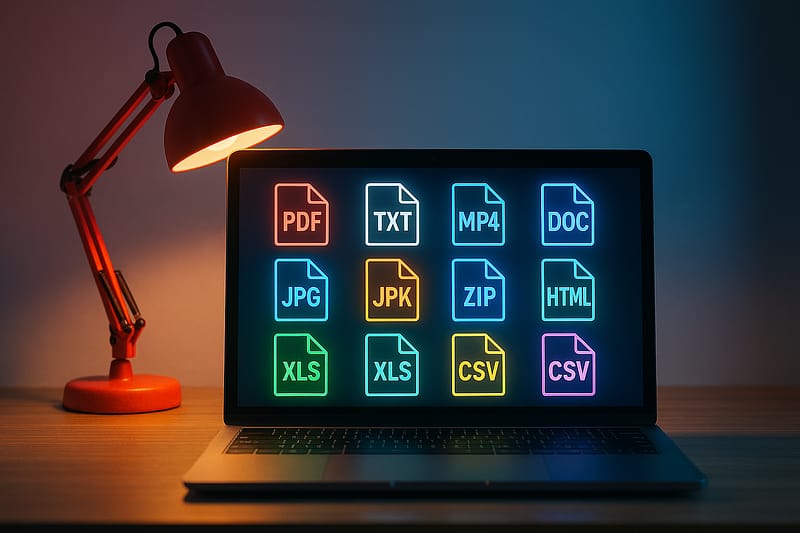
What Are File Types and Extensions? File types are the kind of thing that you acknowledge exists in everyday life, but you don’t really think about what exactly they are. Well, a file type defines exactly how information is structured and stored inside a file and how different programs interpret it. Every single file on […]
What To Do If You’re Still Running Windows 7
Moving On From Windows 7 Windows 7 was one of the fan favorites when it came to Windows OSes. Of course, it helped that it came off the back of the relatively mediocre Windows Vista, but it was genuinely great on its own. It had a fantastic OS, was sleek and fast, had fantastic security, […]
How To Find All Photos Stored on Windows 11
Photo Storage on Windows 11 You’ve probably been saving images into your PC in a ton of different ways over the years. However, each of these methods tend to save into different spots. From transferring them from your phone, downloading pictures off the internet, or just simply saving them from the internet, you probably have […]
east-tec Eraser Review: A File Eraser That Covers All Bases Thoroughly

Why Use a File Eraser? One fact that many users don’t know is that simply deleting a file isn’t enough to guarantee its disappearance. What really happens when you delete a file is the system will mark the space it used to take up as “available to use”. It isn’t until you actually use that […]
How to Screenshot on Windows

Taking a screenshot on Windows is one of those simple yet essential tasks that almost every computer user needs at some point. Whether you want to capture a funny meme, save a payment confirmation, or document a software bug for Microsoft support, knowing how to take screenshots efficiently can save you time and frustration. In […]
How to Protect a Folder on Windows Without Paying
Why Encrypt Your Folders? Computers have become a massive part of society in the last three decades. It’s common for people’s lives to be ruined because somebody managed to breach their computer and access the files inside. However, when one thinks of security, one usually thinks of the big concepts like blanket firewall security or […]
Why Windows 11 Is Already Falling Behind macOS – And What Microsoft Won’t Tell You

When Microsoft announced Windows 11 in 2021, the promise was bold: a modern, streamlined operating system meant to leave behind the baggage of Windows 10 and finally redefine the Windows vs Mac rivalry by competing directly with Apple’s macOS. The redesign promised smoother performance, stronger security features, and a user experience that could make Windows […]
The 7 Best Ways to Make Money From Your Computer in 2025

Why 2025 is a Great Time to Start Earning Money In today’s digital age of ads and monetization, there are more and more methods out there every day for people to make money from the comforts of their own home. Tons of people have already found ways to make money, such as side hustles, to […]
Microsoft Windows 12: Release Date, AI Features, and System Requirements

The next version of Windows is closer than ever. Microsoft hasn’t officially confirmed Windows 12 yet, but leaks, Insider builds, and industry reports all point to a major new release on the horizon. Following the rollout of Windows 11 version 25H2, the company is preparing what could be the most AI-driven and cloud-connected version of its […]
SOLVED: Windows Resource Protection Could Not Perform the Requested Operation
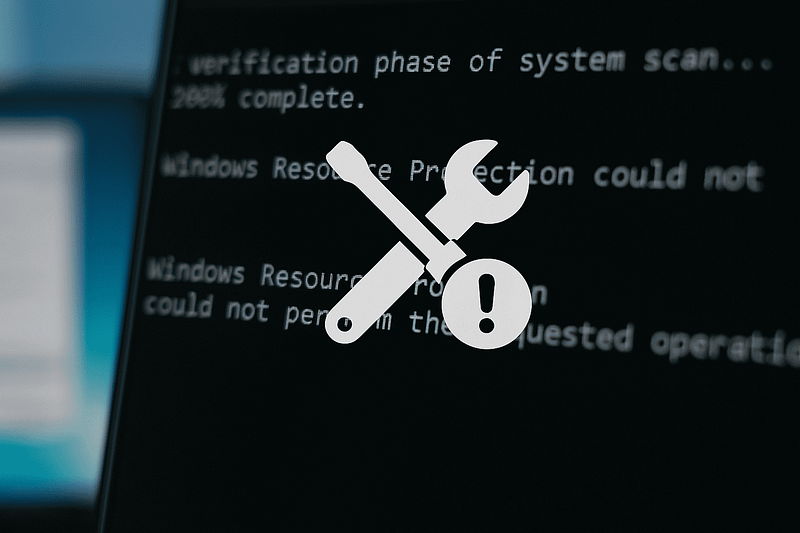
Explaining the Windows Resource Protection SFC Error Windows isn’t a perfect operating system. It constantly runs into errors and will most likely end up corrupting its files as you use it. One of the first lines of defense is Window’s built in System File Checker tool, or SFC. It will scan the integrity of all the […]
10 Secret Windows Settings to Speed Up Your PC
The Secret to Speed Up Your Windows PC There is a common misconception that your computer’s performance is always tied to your hardware. While it is true that your computer’s hardware degrades over time and performance loss is generally unavoidable, it is usually not the primary reason why your computer is suddenly running badly. There […]
Windows 11 Shutdown & Sleep Shortcuts: Quick Keyboard Guide

For most users, navigating the Windows UI with a mouse is intuitive. However, far fewer can say the same about using nothing but the keyboard. Using keyboard shortcuts to navigate the Windows OS is the sign of a truly experienced user that can get things done at much faster speeds than most. This guide will […]
