Google Chrome is still one of the most popular browsers available, but it’s no secret that the Chrome browser isn’t always the best choice for everyone. High memory usage, heavy reliance on Google services, and limited privacy features have led many users to look for a better browser than Chrome. If you’re considering ditching Chrome in 2025, you’ll be glad to know there are several excellent Chrome alternatives that offer faster performance, stronger privacy, and more customization options.
In this article, we’ll go through a list of the best Chrome alternatives you can download today. Whether you’re looking for privacy browsers that block ads and trackers, a Chromium browser with more flexibility, or an open-source project focused on user privacy, these alternatives to Google Chrome might just change the way you surf the web.
Why Does Chrome Use So Much Memory?
Before we jump into the list of the lowest RAM usage browsers, let’s talk about why this is even a problem.
Most popular browsers today—including Chrome, Microsoft Edge, and even Opera—are based on Chromium, an open-source web browser project created by Google. Chromium is fast, secure, and widely supported, but it’s not exactly lightweight.
Here’s why:
- Multi-process architecture: Every tab, extension, and plugin runs as its own process. This improves stability (one bad tab won’t crash the whole browser), but it increases RAM usage.
- Preloading and caching: Chrome and other browsers load parts of pages and search results in the background, which speeds things up but eats mb of RAM.
- Extensions: Those handy little add-ons use more memory than you think. A few popular browser extensions can add 200–300 MB of RAM easily.
The end result is that Chrome can easily hit 1.9 GB of RAM with 10+ tabs open, compared to a memory-efficient browser like Firefox or Opera, which might hover closer to 920 MB of RAM with the same workload.
If you’re running a machine with minimal RAM or you just don’t want your browser to hog all your resources, you’ll want a low memory browser that can handle everyday use without crushing your system.
Why Look for a Chrome Alternative?
The Google Chrome browser dominates the market, but popularity doesn’t always equal quality. Chrome uses a lot of RAM and CPU when you have multiple tabs open, and it has a history of collecting browser data for Google services. While Chrome extensions are powerful and convenient, many users are asking if there’s another browser that offers a better balance between performance and privacy.
Privacy browsers, open-source alternatives, and Chromium-based browsers now give users plenty of choices. From built-in VPNs to enhanced tracking protection and even onion routing, the landscape of internet browsers in 2025 is much richer than it was a few years ago.
If you’re looking for a Chrome alternative, here are six of the best options available right now.
How We Compared Browsers to Find the Best Alternatives
To figure out which browser uses the least RAM, we looked at a few things:
- RAM with 10 tabs open: Real-world browsing with YouTube, Gmail, news sites, and shopping pages.
- CPU usage: Because high CPU and RAM usage together can slow everything down.
- Built-in memory management features: Some browsers let you hibernate tabs or limit background resource usage.
- Overall browsing experience: Just because a browser uses less memory doesn’t mean it’s enjoyable to use.
Now, let’s break down the top 5 Chrome alternatives that use less RAM in 2025.
1. Microsoft Edge

Once considered a traditional browser no one wanted, the Edge browser has transformed into a serious Chrome alternative since Microsoft rebuilt it on Chromium. Because it’s built on Chromium, Edge feels familiar to Chrome users and supports Chrome extensions, yet it consumes less RAM and includes a suite of privacy features.
Edge includes features like tracking protection, a built-in password manager, and optional integration with Microsoft Defender SmartScreen for blocking malicious sites. For those who multitask, the browser provides vertical tabs, collections for organizing research, and even integration with Microsoft 365.
Another major advantage is Edge’s memory and CPU efficiency compared to the Chrome browser. For anyone running a computer with only 4 GB of RAM, Edge is one of the most viable Chrome alternatives available.
Memory Efficiency
Edge is built on the same Chromium engine as Chrome, which means it can run all the same websites and extensions. But Microsoft added smarter memory management features that make a big difference. Its “Sleeping Tabs” feature automatically puts inactive tabs into hibernation. This can reduce RAM usage by up to 30–40% compared to Chrome in real-world tests.
With around 10 active tabs open, Edge typically consumes 960 MB of RAM, compared to Chrome’s 1.2 GB or more. For people with 4 GB of RAM machines, that’s a meaningful difference.
Performance Beyond RAM
Edge also has better CPU usage optimization compared to Chrome. Pages load quickly, scrolling feels smooth, and it generally keeps system fans quieter since it avoids unnecessary background tasks.
Features That Stand Out
- Vertical Tabs: A cleaner way to manage 20+ open tabs.
- Collections: Organize links, text, and images for research projects.
- Privacy Controls: Built-in tracking protection, ad blocking, and Microsoft Defender SmartScreen.
Who Should Use Edge?
Edge is perfect if you want a browser that uses less memory but don’t want to give up Chrome’s familiar ecosystem. It’s also great for students or professionals who juggle lots of tabs but need their browser to stay snappy.
2. Mozilla Firefox

The Firefox browser, developed by Mozilla, has long been one of the most trusted Chrome alternatives. Firefox is an open-source project, free to download, and widely considered one of the best alternatives to Chrome because of its strong focus on privacy and customization.
Unlike the Google Chrome browser, Firefox offers enhanced tracking protection by default, blocking third-party cookies, ads and trackers without requiring extra extensions. It also includes privacy features like Facebook Container, which keeps Meta from following you across the web, and supports thousands of extensions similar to Chrome.
For users worried about browser data collection, Mozilla Firefox is one of the few privacy browsers that isn’t tied to a big tech company. It gives you full customization options, from themes to privacy settings, making it a viable Chrome alternative for both desktop and mobile users.
RAM Usage
Firefox consistently shows up as the browser that uses the least RAM among the big names. In tests with 10 tabs open, Firefox often sits at around 920 MB of RAM, while Chrome can spike past 1.2–1.9 GB of RAM. That’s a huge saving for anyone running low-end hardware.
Firefox also scales better on machines with 1 GB of RAM or 4 GB of RAM, making it one of the best browsers for low-end PCs.
Privacy and Security
- Enhanced Tracking Protection: Blocks social trackers, fingerprinting, and crypto miners by default.
- Multi-Account Containers: Keep work, personal, and social logins separated.
- Regular Updates: Firefox has a fast update cycle to patch security holes quickly.
- Performance Beyond Memory
Firefox has improved its CPU usage in recent years. It doesn’t spike as aggressively as Chrome when streaming video or using web apps, which makes multitasking smoother. It’s also less likely to drain laptop batteries compared to heavier browsers.
Who Should Use Firefox?
If you want the lightweight web browser with the lowest RAM usage, Firefox is a top pick. It’s especially good for privacy-conscious users who want an alternative to the Google ecosystem.
3. Opera
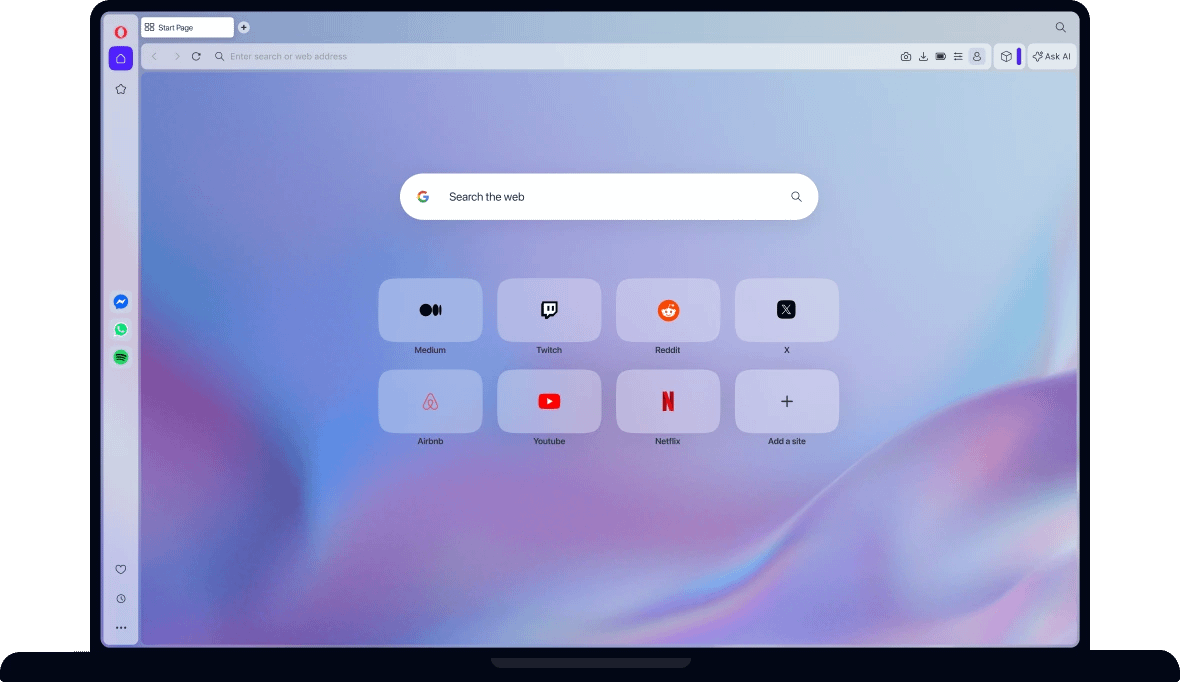
The Opera browser has always been known as one of the most innovative alternative browsers, and it continues to stand out in 2025. Opera offers a wide set of features built directly into the browser window, making it much more versatile than the traditional Chrome browser.
Opera includes a free VPN, integrated ad-blocking, and tracking protection right out of the box. It also comes with a built-in crypto wallet and sidebar access to popular services like WhatsApp and Telegram. These features make Opera one of the best alternatives to Chrome for users who don’t want to rely on third-party extensions.
Opera is another Chromium-based browser, so it’s fast and compatible with Chrome extensions. However, its unique interface, customization options, and extra privacy features make it a browser that offers much more than Chrome does by default.
RAM Usage
Opera is based on Chromium, but like Edge, it has its own set of memory management tricks. With 10 tabs open, Opera usually hovers around 960 MB of RAM, keeping it well below Chrome.
Opera also benefits from needing fewer extensions. Since it includes built-in tools like ad blocking and a VPN, you don’t end up with extra background processes eating more memory.
Features That Stand Out
- Built-in VPN: Free and unlimited for added privacy.
- Sidebar Messengers: Direct access to WhatsApp, Telegram, and Facebook Messenger without opening more tabs.
- Battery Saver: Optimizes CPU and RAM usage on laptops.
- Ad Blocker: Native and lightweight, saving both memory and bandwidth.
Performance Beyond Memory
Opera’s CPU usage is efficient thanks to its resource-saving features. Websites load quickly, video streaming is smooth, and the browser rarely spikes your fan speed compared to Chrome.
Who Should Use Opera?
Opera is a great choice if you want an all-in-one browser. It’s particularly useful for people who use messaging apps or do a lot of online shopping and want a browser that uses less memory than Chrome while offering extra features out of the box.
4. Brave

Brave Browser has quickly become a popular browser among people who want to ditch Chrome but still enjoy the speed of a Chromium-based browser. Brave is a Chromium browser, which means it feels similar to Chrome and even supports Chrome extensions, but it offers far more robust privacy and security features.
Brave blocks ads and trackers by default, which reduces page load times and cuts down on unnecessary resource usage. This makes it one of the best Chrome browser alternatives if you’re tired of ads following you around.
In addition, Brave is unique for its crypto integration: it includes a built-in wallet and rewards system that lets you earn tokens for viewing privacy-respecting ads. Brave also offers a free VPN in its premium tier and private browsing with Tor, giving users access to the dark web while keeping their activity encrypted.
If you want another Google Chrome alternative that’s similar to Chrome in appearance but significantly more private, Brave is a browser that offers exactly that.
RAM Usage
In everyday use, Brave consumes about 960 MB of RAM with 10 tabs open, which is less RAM than Chrome by a wide margin. The difference is especially noticeable on ad-heavy websites, where Brave’s blocking saves hundreds of mb of RAM compared to Chrome.
Privacy and Speed
- Ad and Tracker Blocking: Pages load faster and use less memory.
- Tor Integration: Private browsing mode with extra anonymity.
- HTTPS Everywhere: Forces secure connections automatically.
Performance Beyond Memory
Because Brave blocks ads, it not only saves RAM but also reduces CPU usage. Your laptop runs cooler, pages load faster, and overall resource usage is more balanced.
Who Should Use Brave?
Brave is perfect for people who want a privacy-focused, lightweight browser. If you’re constantly annoyed by how much memory and CPU ads eat up, Brave is the right browser for you.
5. Vivaldi
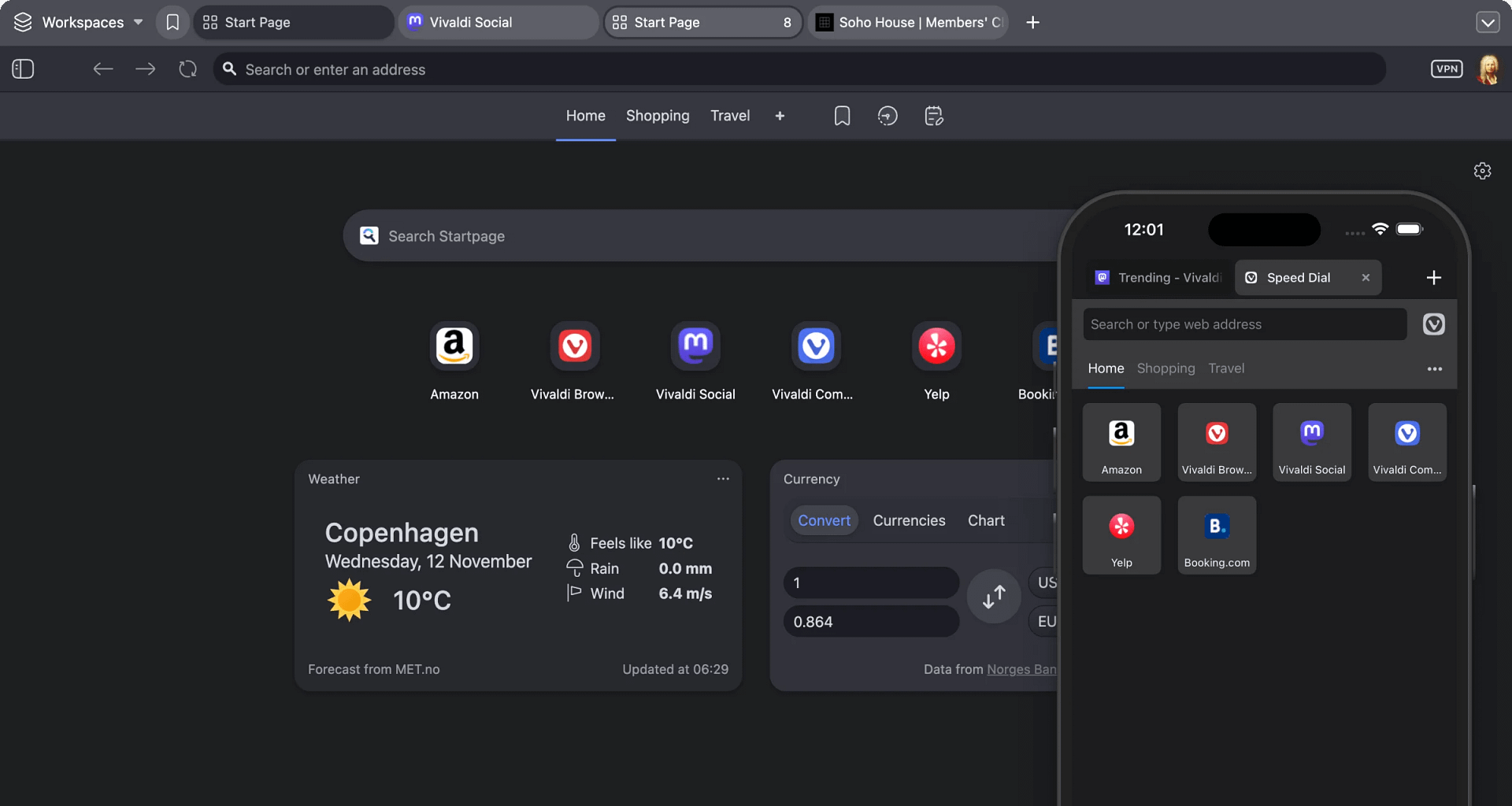
Vivaldi is a lesser-known but powerful Chrome alternative, designed for users who want full control over their browsing experience. Created by former Opera developers, Vivaldi is a Chromium browser that emphasizes customization.
Unlike Google Chrome, where customization options are limited, Vivaldi allows you to change nearly every aspect of the browser window. You can move tabs to any side, stack them in groups, and even split your screen to view multiple sites at once.
Privacy is also a priority: Vivaldi doesn’t track user data, and it includes a built-in ad blocker and tracker blocker. While it may not be as mainstream as Firefox or Edge, Vivaldi is one of the best Chrome alternatives for advanced users who want something more powerful and flexible.
RAM Usage
With 10 tabs open, Vivaldi usually consumes about 1 GB of RAM, slightly higher than Firefox or Opera but still with lower RAM usage than Chrome. Features like tab hibernation let you manually or automatically put inactive tabs to sleep, which keeps RAM efficiency high.
Features That Stand Out
- Tab Stacking and Tiling: Organize and view multiple pages side by side.
- Custom Workflows: Keyboard shortcuts, mouse gestures, and UI tweaks.
- Notes and Screen Capture: Built-in tools reduce the need for extra extensions.
Performance Beyond Memory
Vivaldi is designed for people who run dozens of tabs but want smart memory management. It’s surprisingly efficient once you set up tab hibernation, and it handles heavy browsing without bogging down your system.
Who Should Use Vivaldi?
If you’re a researcher, developer, or multitasker who lives in tabs, this is the browser that uses less RAM than Chrome while giving you extreme control over your workflow.
Quick RAM Usage Comparison (10 Tabs Open)
| Browser | Average RAM Use | Notes |
|---|---|---|
| Firefox | ~920 MB of RAM | Lowest RAM usage overall |
| Opera | ~960 MB of RAM | Lightweight with built-in tools |
| Brave | ~960 MB of RAM | Lower RAM thanks to ad blocking |
| Edge | ~960 MB of RAM | Familiar feel, excellent memory management |
| Vivaldi | ~1.0 GB of RAM | Customizable, strong tab management |
| Chrome | ~1.2–1.9 GB of RAM | Highest RAM usage |
Final Thoughts
So, in 2025, which browser uses the least RAM?
If raw lowest RAM usage is your main priority, Firefox is the clear winner. It’s the browser that uses the least memory while also being independent of Google’s ecosystem.
If you want something familiar that still uses significantly less RAM than Chrome, both Microsoft Edge and Brave are excellent choices. They keep Chrome’s compatibility but with smarter memory management.
If you want features built in without bloating your system, Opera is a solid balance. And if you’re a power user who loves tweaking your setup, Vivaldi is the best browser for flexibility with lower RAM usage than Chrome.
The Bigger Picture: Choosing the Right Browser
It’s important to remember that RAM efficiency is just one factor when choosing a browser. You also need to consider privacy, performance on your specific machine, the extensions you rely on, and even how the browser feels to use day to day.
- On a laptop with 4 GB of RAM, Firefox or Opera will feel much lighter than Chrome.
- If you’re working on a desktop with 16 GB of RAM, Chrome’s memory use might not be a dealbreaker—but privacy could be.
- If you’re on a low-end machine with at least 1 GB of RAM, Firefox is probably your safest bet.
At the end of the day, Chrome might still be the most popular browser, but it’s no longer the best in terms of RAM efficiency. If you’re tired of seeing Chrome eat up 1.2–1.9 GB of RAM just to keep a few tabs open, you’ve got plenty of options in 2025.
The right browser depends on your needs:
- Want the browser that uses the least memory overall? Go with Firefox.
- Want something Chromium-based but lighter? Try Edge or Brave.
- Want built-in features without the bloat? Opera is the answer.
- Want full control over your browsing setup? Vivaldi has you covered.
Whatever you choose, one thing’s for sure: you no longer have to settle for Chrome’s high RAM usage just because it’s the default.
If you’re thinking about making the switch to one of these memory-efficient browsers, don’t worry about losing your saved sites. We’ve put together a simple guide on how to export Chrome bookmarks so you can take all your favorites with you.