Why find alternatives for Microsoft Office
Microsoft Word has been the go-to for decades now, with its name being stamped into digital culture permanently thanks to its free inclusion in the first few versions of Window. However, recent years have made it so you need to purchase a subscription to the Microsoft Office collection to have access to the programs. If you want to avoid the subscriptions, prefer a lighter or offline-friendly option, or simply want something with a different look and feel, there are plenty of capable alternatives available these days.
In this article, we’ll explore the top 5 Microsoft Word alternatives. Each suite comes with its own strengths and weaknesses, from performance to function to just simply having better file compatibility.
5: Calligra Suite

To download Calligra Suite, click here.
Calligra Suite is an open-source productivity suite that was originally designed for Linux, but also available for Windows. It includes applications like Words (which is their Microsoft Word equivalent), Sheets (their Excel equivalent), Stage (for presentations), Flow (for diagrams), and Karbon (for vector graphics).
Calligra Suite has a number of great features, the biggest of which is the fact that it is free and open source, meaning that the community at large is in charge of developing it and therefore there being less potential for conflicts of interest between developer and consumer. It also has an extremely modular interface for use with its many apps. On top of that, it integrates well with KDE and Linux environments and works fully offline. However, its compatibility with Microsoft Office files leaves a lot to be desired and its interface may feel unfamiliar to traditional Office users, forcing a longer learning curve and transitional period.
Overall, the reason for it being at the bottom of the list isn’t because it’s a bad suite. It’s fantastic on Linux, the OS it was designed for, but its support on Windows is lacking compared to Linux, and as this is a list for Microsoft Office alternatives (which is predominantly Windows users), that forces it to be at the bottom. However, if you’re a Linux user, this is a fantastic option.
4: FreeOffice

To try out FreeOffice, click on this link.
FreeOffice is a suite from Softmaker. One of the main selling points is that it can run well even on the oldest hardware. It has a number of programs such as TextMaker (word processing), PlanMaker (spreadsheets) and Presentations (slides).
The main benefit of this suite is that it’s extremely fast and efficient. It doesn’t use many resources which lets it reach a wide audience. It also has compatibility with DOC, DOCX, XLSX, and PPTX formats, meaning that its files are compatible with other modern text editors. It’s also got two interface options for if you’re feeling nostalgic or not. Lastly, there is a portable version that you can just stick on your USB.
However, this is still a paid product. There are features like PDF export or EPUB export that requires the paid version. It’s also not ideal for heavy formatting or extremely complex layouts. Lastly, there are fewer built-in templates and tools compared to other text editors.
Overall, FreeOffice is still a very solid suite of programs for those who just need speed and simplicity.
3: WPS Office

To download this program, just click here.
WPS Office is one of the closest experiences to Microsoft Office, right down to the ribbon toolbar and polished interface. It includes Writer, Spreadsheets, and Presentation just like many of the other suites on the list. It’s a strong contender for the straightest replacement for Microsoft Office, as many of its design choices and features directly copy from Office. It also has a lot of other features, such as a tabbed interface with hundreds of document templates, built-in PDF tools, cloud syncing, and excellent file compatibility overall.
However, there are a couple of downsides. The free version contains ads, especially when you try to utilize the PDF tools and templates. There are features locked behind a paywall as well, such as exclusive templates, document recovery, and batch processing. Moreover, privacy concerns have been raised due to telemetry, data collection, and its location being inside China, which has different cybersecurity standards.
Overall, if you can tolerate a bunch of ads that push you towards paying as well as some iffy privacy practices, WPS Office is for you. This suite does legitimately come packed to the brim with features and is also possibly the best-looking suite on the list here.
2: OnlyOffice Desktop Editors

Click here to download the program.
OnlyOffice Desktop Editors has, like many of the other suites here, a document, spreadsheet, and presentation editor all unified in one suite. It has a couple of important strengths. Its UI is modern, with a ribbon layout and minimal clutter. It has excellent compatibility with all of Office’s formats. It can be used fully offline and integrates with cloud platforms if you so choose, and lastly, it is open source and completely free for personal use.
There are a couple of downsides, however. For instance, it’s extremely heavy on the resources, with you needing a somewhat competent system for the program to not chug. There are also a few tools that are limited, like macros and templates. Lastly, it is not widely adopted, so there is not much community support for things like plugins.
If you’re looking for a Office-like experience without ads or subs, then you should use OnlyOffice Desktop Editors. This is a great first step if you’ve just started transitioning away from Microsoft Office as it closely resembles Office.
1: LibreOffice
Click here to download the program.
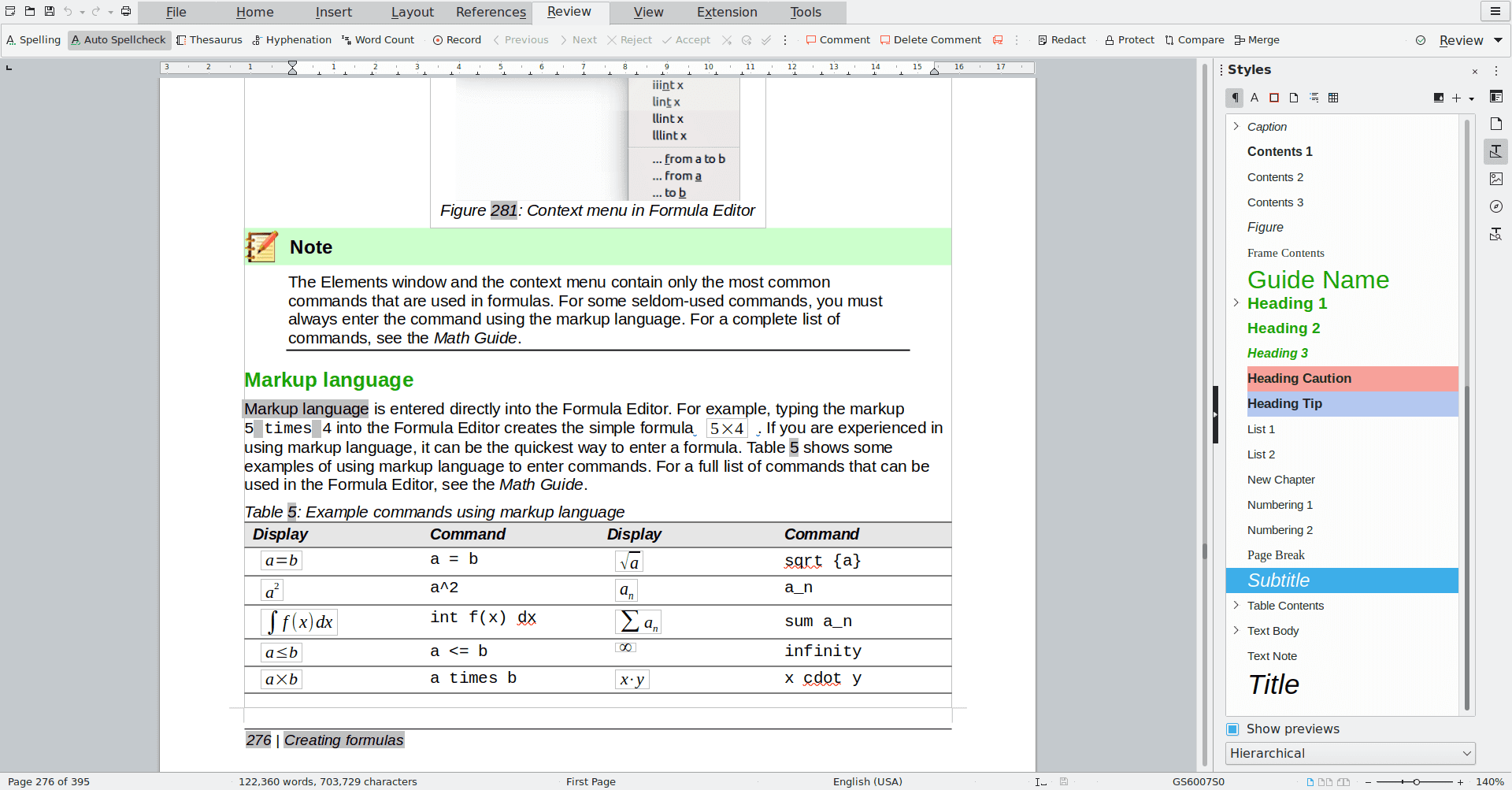
LibreOffice is arguably the single most full-featured free alternative to Microsoft Office and is known as the gold standard of open-source Office suites. It comes with more programs than most of the other suites on the list, with it including Writer, Calc, Impress, Draw, Base, and Math to make it one of the most comprehensive suites here.
Its best feature is that it is open-source and has a massive community supporting its development. It also fully respects your privacy and works offline. It doesn’t even have ads. The features of the program itself are robust, with a ton of formatting tools, styles, macros, and mail merge. It’s got great support for all of the Office formats like DOCX, XLSX, PPTX, PDF, AND ODT.
However, despite being so powerful, there are a couple of cons. It has a rather dated interface, although it’s actively being improved. Some of the most complex Word or Excel documents may also have formatting issues. Lastly, this program does come with a rather steep learning curve for those looking to use its advanced features.
LibreOffice is the overall the best suite on the list. It’s free, it has a ton of features, and it’s extremely powerful. It’s perfect for students, professionals, casual users, and anybody else that needs a full-featured suite without needing to interact with a vendor.
Ranking the Programs
In this section, we’re going to rank each program based on certain criteria, then ultimately and neatly putting them inside a chart.
1. Features
This category will cover the features of the program, such as the layout tools, document formatting, styles, macros, mail merge, etc.
Calligra Suite – Modular and unique but lacks polish and depth by comparison.
FreeOffice – Basic to moderate. Great for simple to medium complexity documents.
WPS Office – Has a ton of features, with some hidden behind a paywall.
OnlyOffice Editors – Strong core tools. Limited in macros and complex formatting.
LibreOffice – Extremely robust, rivaling Office itself. Has styles, macros, and mail merge.
Overall, LibreOffice is the clear winner here. It is extremely feature-rich and flexible. The follow-up contenders are OnlyOffice Editors and WPS Office followed by Calligra Suite while FreeOffice unfortunately bring up the rear.
2. User Interface
This category will look at how well each program does in terms of visual design, usability, navigation, and the ease of transitioning from Office.
Calligra Suite – Uses a KDE-style interface that may be unfamiliar to most users.
FreeOffice – Decent. Offers both ribbon and classic layouts.
WPS Office – Very polished, with Office-style ribbons, dark mode, and tabbed UI.
OnlyOffice Editors – Modern and sleek. Pretty much identical to Microsoft Office
LibreOffice – Functional but dated. However, the customizable toolbars help a lot.
Out of all of these, the two programs with the best interface are OnlyOffice Editors and WPS Office. The runner-up would be FreeOffice. The one with the most dated interface are LibreOffice while Calligra Suite may be too obtuse for most users.
3. Performance
This category will look at the speed and responsiveness of the program, as well as how each software runs on older machines.
Calligra Suite – Extremely lightweight. Designed for speed and low-resource environments.
FreeOffice – Lightweight and fast. Incredible for old hardware.
WPS Office – Moderate memory usage, but quick and responsive in general.
OnlyOffice Editors – Slow start time, slightly demanding, but overall smooth when initiated.
LibreOffice – Optimized for modern systems – heavy on older PCs.
The best performing programs is FreeOffice as it is the only program that specifically run best on lower-end hardware. It’s followed by WPS Office as it only takes moderate resources followed by LibreOffice, with some slight delays but overall still good performance. Calligra Suite runs about as well LibreOffice but runs much better on Linux. Bringing up the rear is OnlyOffice Editors, being extremely heavy and resource heavy in comparison to the others on this list.
4. File Compatibility
This category focuses on how accurately and reliably each program handles Microsoft Office files and how accurately they import them.
Calligra Suite – Weakest support of the bunch. RTF and TXT are the most reliable formats it can handle – DOCX and DOC aren’t supported.
FreeOffice – Basic DOCX support. Struggles with complex styles and formatting.
WPS Office – Handles DOCX, XLSX, PPTX very well. Basically the same performance as native Office.
OnlyOffice Editors – Excellent compatibility – supports more formats more accurately than LibreOffice.
LibreOffice – Extremely good DOCX support but has slight issues with complex formatting.
Overall, the programs with the best compatibility are OnlyOffice Editors and WPS Office, with absolutely no problems with compatibility and able to accurately replicate the formatting as well. The follow-up, LibreOffice, has full compatibility, but has some issues with complex formatting when importing. Finally, FreeOffice and Calligra Suite have either basic support or are completely lacking support altogether.
5. Offline Use & Privacy
This category considers how prominent ads are, as well as telemetry, forced cloud logins, open-source status, and ability to use fully offline.
Calligra Suite – Lightweight and open-source. No data collection.
FreeOffice – Fully offline, closed-source but minimal data use.
WPS Office – Ads in free version, data collection, cloud-linked, based in China.
OnlyOffice Editors – Fully offline, open-source core, respects your privacy.
LibreOffice – 100% offline and open-source. No ads or telemetry.
The best here are all the open-source programs, as they are managed by their communities and enough of them have an interest in privacy to catch any data-collecting attempts. That means that LibreOffice, Calligra Suite, and OnlyOffice Editors are by far the best in terms of privacy. FreeOffice can be used fully offline, but online use does have some data collection. Lastly, WPS Office has a lot of legitimate concerns when it comes to its security and safety.
6. Cost & Limitations
This category examines how many features are locked behind a paywall, and if so, what is missing.
Calligra Suite – Fully free and open source. Nothing limited.
FreeOffice – Free version is solid, but export options and features are limited.
WPS Office – Free version is usable, but there are a ton of ads and locked features that push users towards paying.
OnlyOffice Editors – Free for personal use and has full functionality without payment.
LibreOffice – Completely free and open-source.
Once again, the best programs for free use are the open-source programs. LibreOffice, Calligra Suite, and OnlyOffice Editors are by far the best in terms of features vs price. FreeOffice has more than enough features in its free version to justify using it, but there are still premium features missing. WPS Office is the worst in this regard, as it has a freemium model. It locks a ton behind a paywall and spams ads at you, reminding you of what you’re missing.
Comparison Chart
| Features | Interface | Performance | File Compat. | Offline/ Privacy | Costs and Limits | |
| LibreOffice | Extremely Robust | Functional but dated | Good on most PCs | Very good | Fully private & offline | Totally free |
| OnlyOffice Editors | Rich and Modern | Sleek and intuitive | Moderately demanding | Excellent | Respects privacy | Totally free for personal use |
| WPS Office | Feature-rich | Very polished | Fast and responsive | Excellent | Privacy trade-offs | Freemium with tons of ads |
| FreeOffice | Basic Feature set | Simple. Decent. | Extremely fast | Good for basic files | Fully offline | Some limits |
| Calligra Suite | Very minimal | KDE-specific | Extremely lightweight | Poor DOCX support | Highly private & offline | Fully free |
Which Office Alternative is Right for you?
Each of these Office alternatives have their own strengths and weaknesses that you need to take into account before making your ultimate choice. However, there are a few key takeaways here. If you’re the kind of user that highly values their privacy, then you need to go with LibreOffice, OnlyOffice Editors, and Calligra Suite. The open-source nature of these programs ensures that they’re free of the usual temptations that companies have about selling your data. Any privacy breaches tend to be swiftly fixed by the community.
If you find yourself with an extremely weak computer, then you should definitely go with Calligra Suite and FreeOffice, as they are extremely light on resource usage and will definitely run well on your computer, though at the cost of having less features to play around with.
If you value a more modern looking and feature complete program to use, then you should definitely look towards WPS Office Writer and OnlyOffice Editors, as those lead the way in terms of those categories.
Whatever you end up choosing, we hope that this article has helped you make your choice.